Availability: Ultimate edition
Use a report template with multiple infrared-image placeholders to place the images from each image stack together in one report data section. This supports layouts that compare inspections of the same object.
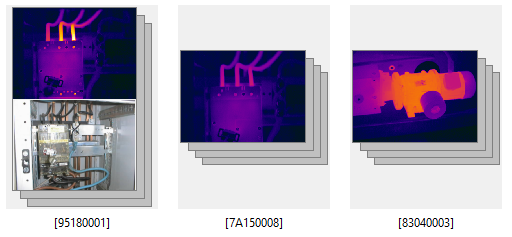
The stack-specific rules in this topic apply when the reported folder or selection contains at least one image stack. A stack appears as one item in the folder, as shown below.
Prepare the template
Start with the principles described in Report template structure. Then create data-section layouts for the stack sizes that the template must support.
1.Create a separate Word data section for each required layout.
2.Insert the required number of Infrared Image placeholders in each data section.
3.Arrange the numbered placeholders where their corresponding stack images should appear.
4.Add the required pictures, graphs, fields, and tables to each data section.
5.Set Source IR image for every related element that must use a specific infrared image.
6.Save the report template.
Tip: Include a data section with one Infrared Image placeholder when the report can also contain individual images. |
How reported items fill the template
When the reported items contain at least one stack, IRT Cronista processes every stack and every individual image as a separate report item:
·One image stack produces one populated data section. Its images fill the infrared-image placeholders in the stack's current sort order.
·One individual image produces one populated data section and fills its first infrared-image placeholder.
How a data-section layout is selected
IRT Cronista compares the number of images in the report item with the number of infrared-image placeholders in each template data section. It selects a layout in the following order:
1.A data section with exactly the same number of infrared-image placeholders.
2.The data section with the smallest number of placeholders that is still large enough for all images.
3.The data section with the greatest number of placeholders when no layout is large enough.
If the selected layout has more placeholders than the report item has images, the extra placeholders are empty. If it has fewer placeholders, the remaining images are omitted from the report.
For example, assume that a template contains layouts for one, two, and four images:
·A two-image stack uses the two-image layout.
·A three-image stack uses the four-image layout and leaves one placeholder empty.
·A five-image stack uses the four-image layout and omits the fifth image.
·An individual image uses the one-image layout.
Note: Create only one template data section for each placeholder count. If several data sections contain the same number of infrared-image placeholders, IRT Cronista uses the first matching section. |